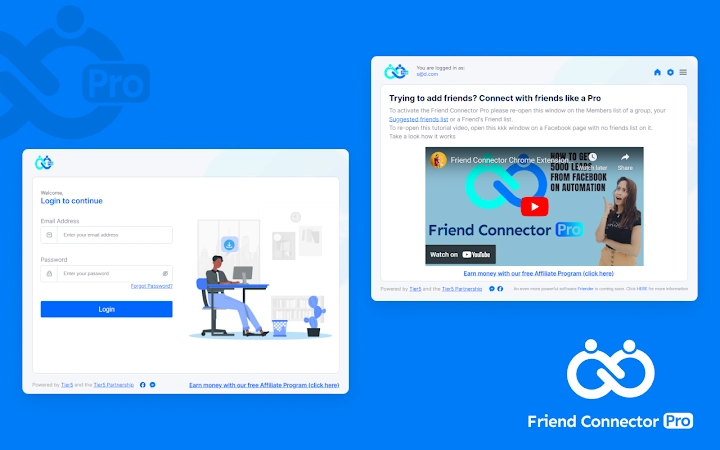

Automate Friend Requests with One Click
Overview
The software is designed to streamline the process of sending friend requests on social networking platforms, particularly for users who manage multiple accounts or seek efficiency in online relationship building. By automating the initial outreach step, it reduces manual effort and minimizes time spent on repetitive tasks. The tool targets individuals who value productivity and time-saving solutions, including digital marketers, community managers, and active social media users.
It operates as a browser extension, integrating directly into the user’s browsing environment to execute actions without requiring complex setup. Real-world usage scenarios include bulk outreach campaigns, network expansion for professional branding, or maintaining consistent engagement across platforms. The extension runs in the background, allowing users to focus on other tasks while it handles the request-sending process.
Since the developer did not provide additional background details, the software’s origins remain unspecified. However, its functionality suggests a focus on usability and minimal user intervention. The tool is compatible with both Windows and Mac operating systems, ensuring broad accessibility for desktop users.
Key Features & Capabilities
- One-Click Friend Request Automation – Users can input keywords and trigger the extension to send friend requests automatically, eliminating the need for manual navigation and clicking.
- Batch Processing – The tool enables users to initiate multiple requests at once, significantly reducing the time required for outreach compared to manual methods.
- Remove Pending Requests – A new feature introduced in version 2.2 allows users to delete unsolicited or unaccepted friend requests with a single click, helping maintain a clean network.
- Auto-Tab Management – After activation, the extension automatically opens the relevant page in a new tab, performs the deletion, and closes the tab without user input.
- Minimal User Intervention – Once configured, the tool runs independently, requiring no further input during execution, ideal for background processing.
These capabilities are particularly useful for users managing multiple social profiles or those aiming to grow their network efficiently. For example, a digital marketer might use the extension to expand their professional network on LinkedIn, while a community manager could use it to onboard new members into a platform. The removal of pending requests ensures users can maintain a clean and organized network, avoiding clutter from outdated or ignored invitations. The automation workflow is straightforward: log in, go to the dashboard, activate the extension, and let it work. The developer did not specify the exact platforms supported, but the tool appears to be designed for common social media environments.
User Interface, Workflow & Performance
The user interface is minimal and designed for quick access, as the tool functions primarily through a browser extension icon. Users interact with it by clicking the extension button after logging into their account and navigating to the dashboard—the root page of the platform. The workflow is linear and intuitive: activation triggers a background process that opens a new tab, performs the requested action, and closes the tab automatically.
This design reduces cognitive load and supports seamless task completion. The extension does not require complex configuration, making it accessible to users with varying technical expertise. However, exact performance details were not specified.
The developer did not provide information on CPU or RAM usage, nor did they outline any stability metrics. Based on general software behavior patterns, the tool is expected to operate efficiently within standard browser environments. Since it runs as a background process, it should not interfere significantly with other open tabs or applications.
No reported issues with crashes or freezes were mentioned in the release notes.
Compatibility & System Requirements
The software is compatible with both Windows and Mac operating systems, ensuring broad accessibility for desktop users. It functions as a browser extension, meaning it requires a supported web browser to operate. The developer did not specify the exact browser versions or system requirements.
Compatibility information was partially provided, but details such as minimum RAM, processor speed, or disk space were not listed. Installation size was not disclosed, so users cannot assess storage impact. The tool is designed to run within a browser environment, which implies it does not require standalone installation.
Users should ensure their browser supports extensions and has JavaScript enabled for full functionality. The lack of detailed technical specifications means users must rely on general browser compatibility standards. The extension may not work on all platforms or browsers, especially if they lack support for background scripts or tab automation.
Pros and Cons
Pros
- Automates repetitive friend request tasks with a single click
- Efficiently removes pending requests without manual effort
- Runs in the background with minimal user interaction
- Compatible with both Windows and Mac systems
- Free to use with no cost barrier to entry
Cons
- No information provided on supported social media platforms
- Exact system requirements and resource usage not disclosed
- Dependent on browser functionality and extension support
- Automated actions may conflict with platform policies
- Limited transparency regarding data handling and security practices
FAQ Section
Is the extension compatible with all browsers?
The software is designed to work as a browser extension, but the developer did not specify which browsers are supported. Users should check their browser’s extension compatibility and ensure it allows background scripts and tab automation.
Can I use this tool offline?
The extension requires an active internet connection and access to the social media platform to function. It cannot operate in offline mode, as it relies on real-time interaction with external websites.
Is the software safe to use?
The developer did not provide details on data encryption, permissions, or privacy practices. Users should review the extension’s access rights and only grant permissions to trusted sources. It is recommended to use such tools cautiously on sensitive accounts.
How often does the extension update?
Version 2.2 was released on April 10, 2024, introducing new features and bug fixes. The update frequency is not specified, so users should monitor the extension’s release notes for future updates.
What kind of license does this software use?
The software is offered for free, with no mention of a license type. It is distributed without cost, but users should review any terms of service linked to the extension’s distribution platform.
Final Thoughts + CTA
This automation tool offers a practical solution for users seeking to accelerate their social networking efforts through one-click friend request management. Its ability to handle both sending and removing pending requests reduces manual workload and supports efficient network growth. While the lack of detailed system requirements and platform specifics limits full transparency, the tool’s core functionality is clear and purpose-built.
It is especially beneficial for professionals and power users who manage multiple online profiles and prioritize time efficiency. The free pricing model removes financial barriers, making it accessible to a wide audience. Despite some concerns around data privacy and platform compliance, the extension delivers on its promise of automation with minimal user input.
For those looking to enhance their social outreach workflow, this tool provides a straightforward and effective option. Download Auto Friend Request Extension now.







